
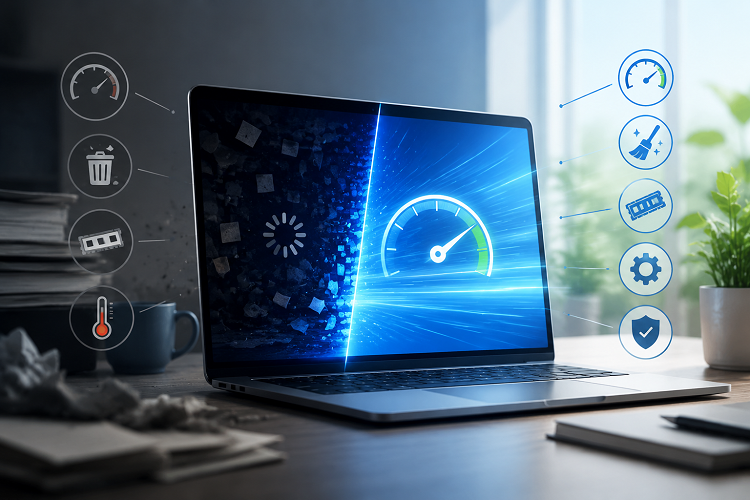
A computer’s performance depends on more than its processor speed or graphics card. System stability, cooling, hardware reliability, and responsiveness all contribute to the overall experience. Whether someone uses a PC for gaming, work, or everyday activities, testing different aspects of performance can help identify potential problems. A stress test PC tool and a reaction time test offer two different ways to evaluate system behavior and personal response speed.
Why You Should Stress Test Your PC
A PC stress test places a heavy workload on selected hardware components to observe how the system behaves under demanding conditions. Unlike ordinary computer use, which may involve short periods of activity, stress testing can keep the processor or graphics card working intensively for an extended period.
A stress test PC tool can help users evaluate system stability after building a computer, installing new hardware, or changing performance settings. It may also reveal potential overheating, unexpected shutdowns, or instability that does not appear during light workloads.
Different tests target different components. CPU stress tests focus on processor performance, while GPU tests examine graphics hardware under demanding conditions. Memory tests can help identify potential RAM errors, and combined workloads can reveal how several components behave together.
Before starting a test, users should close unnecessary applications, save important work, and monitor system temperatures. Testing should be stopped if temperatures exceed manufacturer recommendations or if the computer shows signs of instability. A stress test can help identify problems, but passing one test does not guarantee that every component is completely reliable.
Understanding a Reaction Time Test
Reaction speed is important in activities that require quick responses to changing visual or audio signals. Gaming is one example, but reaction speed can also matter in sports, interactive exercises, and certain computer-based tasks.
A reaction time test measures how quickly a person responds to a stimulus. In a common online version, a screen changes color or displays a signal, and the user clicks as quickly as possible. The tool records the time between the stimulus and the response, usually in milliseconds.
For example, a result of 250 milliseconds means the recorded response took one-quarter of a second. Repeating the test several times can help users understand their typical results and observe how their performance varies.
However, reaction time can be affected by sleep, concentration, fatigue, distractions, and familiarity with the test. A single result should not be treated as a complete measure of someone’s abilities.
How Reaction Time Matters in Gaming
Fast responses can be useful in competitive games, particularly first-person shooters, racing games, and other titles that require players to react quickly to changing situations.
A reaction time test can give gamers a simple way to practice responding to visual signals and track their results over time. Regular practice may help them become more familiar with the testing process, although improvements in a simple test do not necessarily translate directly into better in-game performance.
Gaming responsiveness also depends on factors beyond human reaction speed. Display refresh rate, input latency, frame rate, network conditions, and the game’s mechanics can all affect how quickly an action appears on screen.
For this reason, gamers should consider both their personal response speed and their computer’s performance when investigating delays or inconsistent gameplay.
Using Both Tests for a Better PC Experience
A stress test PC tool and a reaction time test serve different purposes, but both can help users better understand their computer-based activities.
A stress test evaluates how hardware behaves under heavy workloads, while a reaction time test measures the time taken to respond to a stimulus. Together, they encourage users to look at both technical performance and human interaction.
For example, a gamer who experiences inconsistent gameplay can test system stability and monitor temperatures before investigating other possible causes. They can also use a reaction time test to establish a personal baseline. If the computer performs reliably but gameplay still feels delayed, input settings, display behavior, and network latency may deserve further attention.
Tips for More Reliable Results
Consistency is important when testing either hardware or reaction speed. For PC stress testing, use reputable software, follow the manufacturer’s guidance, and monitor temperatures throughout the process. Avoid aggressive overclocking or unsafe voltage changes simply to achieve a higher result.
For reaction time testing, use the same device and testing method when comparing results. Minimize distractions, take breaks when needed, and repeat the test under similar conditions. This makes it easier to distinguish a genuine change from ordinary variation.
Final Thoughts
Understanding computer performance involves more than checking specifications or looking at a single benchmark. A stress test PC tool can help users investigate stability and thermal behavior, while a reaction time test provides a simple way to measure response speed.
By using both appropriately, users can better understand their hardware, explore factors affecting responsiveness, and make informed decisions about their setup. Careful testing, consistent conditions, and realistic expectations are the keys to getting useful results.
