
Introduction
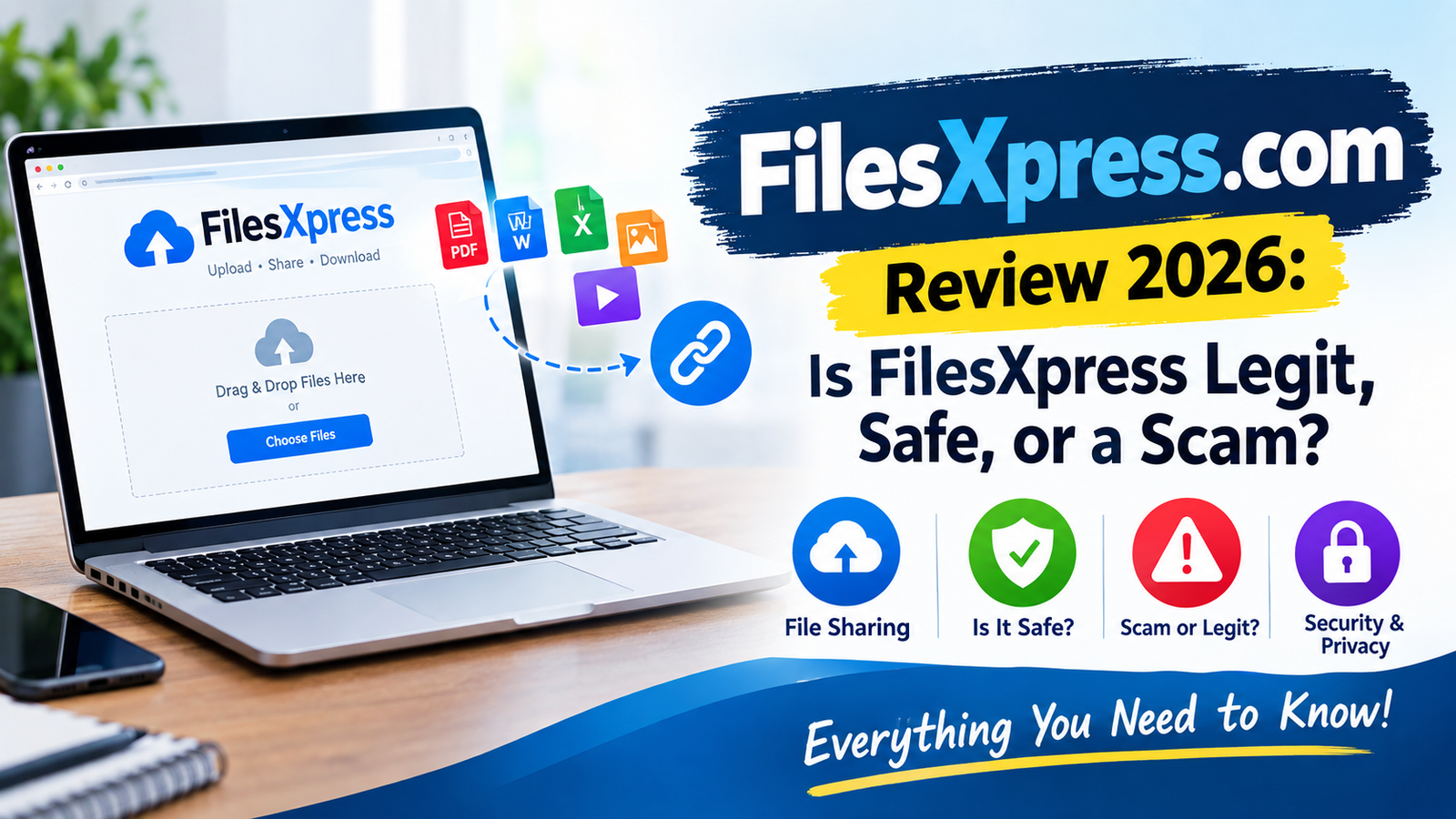
People searching for filesxpress.com are usually looking for one simple thing: a quick way to upload a file and share it through a downloadable link. The name has also appeared repeatedly in older online technical-support conversations, where users were instructed to upload documents, screenshots, spreadsheets, videos, and other files and then provide a short download link.
That history is important because FilesXpress is not a typical modern cloud-storage platform such as Google Drive or Dropbox. Available historical references describe it primarily as a file-upload and file-sharing service, designed around sending individual files through generated links rather than maintaining a sophisticated personal cloud workspace.
However, there is a major issue for anyone researching the service in 2026: the current public status of filesxpress.com is difficult to verify. An attempt to access the domain during this review resulted in a failed fetch/redirect condition, while the www version returned a 403 Forbidden response. That means some of the information available about the service comes from historical web references rather than a currently accessible official website.
This review therefore separates historically verifiable information from claims that cannot be independently confirmed today.
What Is FilesXpress.com?
FilesXpress.com appears to have been a web-based file-sharing and temporary file-transfer service.
The basic concept was straightforward. A user could upload a file to FilesXpress and receive a URL that another person could use to access or download the file.
Historical technical-support pages provide strong evidence of this use. For example, JustAnswer conversations from roughly a decade ago repeatedly instructed users to upload files to filesxpress.com and then provide the resulting short link. Those files included Excel spreadsheets, screenshots, Microsoft Word documents, Adobe Illustrator files, videos, and other technical files.
The service therefore appears to have been positioned more as a transfer mechanism than a full collaboration platform.
There is no strong evidence from the sources reviewed that FilesXpress was intended to compete directly with enterprise platforms such as OneDrive, Google Drive, Dropbox, or Box.
Instead, its usefulness seems to have been centered on a specific workflow:
Upload → generate link → share link → recipient downloads file.
That simple approach made sense when email attachment limits were more restrictive and browser-based file-transfer services were commonly used by technical-support professionals.
Who Owns FilesXpress.com?
One of the biggest limitations in researching FilesXpress today is the lack of readily verifiable current ownership information.
The available search evidence does not provide a reliable current corporate profile, named operating company, leadership page, or clearly maintained official documentation for FilesXpress.com.
That does not automatically mean the website was fraudulent.
A small file-sharing website can operate with limited public branding, and historical services often disappear or change ownership without leaving much publicly indexed documentation.
However, from a 2026 trust perspective, the lack of easily verifiable ownership is a meaningful weakness.
A trustworthy modern file-hosting service should ideally make it easy for visitors to identify:
- The operating company
- A business address or jurisdiction
- Contact information
- Privacy policy
- Terms of service
- Data-retention practices
- Security information
- Abuse-reporting procedures
Those details could not be independently established for the currently accessible FilesXpress domain during this review.
Historical Evidence of Real Use
There is nevertheless substantial historical evidence that the domain was actually used as a file-sharing service.
Multiple independent JustAnswer conversations reference FilesXpress links for real files. Examples include Excel workbooks, PDF-related files, screenshots, video files, and other documents.
That makes FilesXpress different from a domain that appears to have existed only as a disposable scam website.
The more accurate conclusion is that FilesXpress appears to have been a real file-sharing service historically, but its current ownership and operational status are not sufficiently transparent to verify with confidence.
Key Features and Services
1. File Uploading
The core function of FilesXpress was file uploading.
Historical users were instructed to visit the website, select or add a file, and upload it. The service then generated a link that could be shared with another person.
This was particularly useful when a file could not easily be attached to an online support conversation.
For example, historical support discussions show users uploading Excel files containing formulas, Word documents, screenshots, videos, and design files through FilesXpress.
2. Shareable Download Links
One of the most recognizable features was the generation of short URLs.
Historical examples include URLs using patterns such as:
filesxpress.com/d-xxxxxxxx
and longer download addresses.
The short-link system was convenient because users could copy the generated address and paste it into a forum, support conversation, email, or chat.
3. Support for Different File Types
The historical evidence suggests that FilesXpress was not restricted to a single file format.
Users uploaded:
- Excel spreadsheets
- Microsoft Word documents
- Images and screenshots
- PDF-related files
- Adobe Illustrator files
- Video files
- Older document formats
- Technical files
For instance, one historical conversation involved uploading an Adobe Illustrator project, while another involved uploading videos for an email project.
This broad file-sharing capability was one of the service’s practical advantages.
4. Simple Sharing Workflow
FilesXpress appears to have prioritized simplicity rather than extensive account management.
Users generally wanted to upload a file, obtain a link, and give that link to another person.
That workflow reduced friction compared with creating accounts, setting permissions, building folders, and configuring collaboration settings.
How Does FilesXpress.com Work?
Based on the historical usage patterns, the process was relatively simple.
Step 1: Visit the Website
The user would open FilesXpress.com through a web browser.
Historical conversations specifically directed users to type www.filesXpress.com into their browser.
Step 2: Upload a File
The user would use the site’s upload function to select a document or other supported file.
The historical interface references an “+ADD FILES” option, although at least one user reported difficulty getting that feature to work.
Step 3: Generate a Link
After uploading, FilesXpress generated a link associated with the file.
Users could receive both a shorter share link and a longer download link, depending on the workflow.
Step 4: Share the URL
The uploader could copy the link and send it to another person.
Technical-support conversations show exactly this workflow being used to transfer files between customers and support specialists.
Step 5: Recipient Downloads the File
The recipient could open the link and access the uploaded file.
This made FilesXpress useful for situations where traditional email attachments were inconvenient.
User Experience and Interface Analysis
Historically, FilesXpress appears to have followed a minimalist file-transfer model.
That simplicity was useful because users did not necessarily need to understand cloud-storage concepts. The service was focused on one job: moving a file from one person to another.
However, the historical references also show that the experience was not always flawless.
Some users reported that the site failed to open, while others encountered problems with uploading particular file types. One Thunderbird-related conversation records a user initially reporting that the FilesXpress upload option was not working before eventually providing a short link.
Another conversation shows a user encountering an unsupported-file-type message while trying to upload a Microsoft Word document.
These examples suggest that compatibility and reliability were not necessarily perfect.
More importantly, the current user experience cannot be confidently reviewed in 2026 because the live website was not accessible normally during this assessment.
Is FilesXpress.com Legit or a Scam?
This is the most important question.
Is FilesXpress a Scam?
There is not enough evidence to label FilesXpress.com a scam.
The domain has a substantial historical footprint. Independent technical-support conversations repeatedly reference the service for genuine file transfers over many years.
That is meaningful evidence that the website was used as a real file-sharing service.
At the same time, historical legitimacy does not prove current safety.
The present-day domain is difficult to verify. During this review, accessing the root domain resulted in a failed fetch/redirect response, while the www version returned a 403 Forbidden response.
That prevents a reliable inspection of current policies, ownership information, upload behavior, and security controls.
SSL and HTTPS
A valid HTTPS connection is useful because it encrypts traffic between the browser and server.
However, SSL alone never proves that a website is legitimate.
A scam website can obtain an HTTPS certificate just as a legitimate website can.
For FilesXpress specifically, current SSL configuration could not be independently assessed through the live site because the domain did not return a normal accessible page during the review.
Therefore, it would be irresponsible to describe the site’s present security status as confirmed.
Domain Age
FilesXpress has clear historical references dating back many years.
That demonstrates that the domain existed and was being used long before 2026. However, domain age should not be confused with continuous ownership or continuous operation.
A domain can remain registered while its website changes purpose or ownership.
Transparency
This is where FilesXpress scores poorly in a modern review.
The available evidence does not provide a sufficiently clear current picture of:
- Who operates the website
- Where the company is based
- How long uploaded files remain available
- Whether files are scanned for malware
- Whether files are encrypted at rest
- How personal data is handled
- Whether users can request file deletion
- How abuse is reported
For a file-hosting platform, these are important questions.
Verdict on legitimacy: Historically credible, but currently difficult to verify.
Pros and Cons
Pros
Simple file-sharing concept
The service was designed around a straightforward upload-and-share workflow.
Historical evidence of genuine use
Numerous independent technical-support conversations demonstrate real-world usage over several years.
Useful for large or inconvenient attachments
Users could share files through URLs instead of attaching them directly to email or support conversations.
Multiple file formats
Historical examples demonstrate usage with documents, spreadsheets, images, videos, and other file types.
Cons
Current availability is unclear
The live domain could not be normally inspected during this review.
Ownership is not transparent
There is insufficient current public information to confidently identify the operating entity.
Security policies are difficult to verify
There is no reliable current documentation available from the accessible site establishing retention, encryption, scanning, or privacy practices.
Historical technical problems exist
Archived user conversations include upload and accessibility problems.
Not a modern collaboration platform
There is no strong evidence that FilesXpress provides the account management, synchronization, version control, permission systems, or enterprise administration available from today’s major cloud-storage providers.
Realistic Use Cases
FilesXpress historically made sense for one-time file transfers.
For example, someone working with a technical-support specialist could upload a spreadsheet and send the resulting link instead of trying to attach the workbook directly.
It could also be useful for sending screenshots, documents, design files, or relatively large media files.
However, the service is less suitable for modern business collaboration.
A company that needs centralized access control, audit logs, automatic backups, team folders, version history, compliance documentation, and dependable customer support should use an established enterprise storage provider instead.
Who Should Avoid It?
Avoid uploading highly sensitive information to an inadequately documented file-sharing service.
That includes:
- Password databases
- Identity documents
- Financial records
- Confidential business contracts
- Private medical documents
- Customer databases
- Proprietary source code
Unless a file-hosting service clearly documents how such information is protected, the safer approach is to use a provider with established security controls and transparent policies.
Alternatives to FilesXpress.com
Google Drive
Google Drive is a much more comprehensive option for users who need cloud storage, file sharing, collaboration, access controls, and document management.
Its ecosystem also integrates directly with Google Docs, Sheets, and other productivity tools.
For everyday personal and business use, Google Drive is substantially more practical than relying on an obscure or difficult-to-verify file-sharing domain.
Dropbox
Dropbox is another established alternative focused heavily on file synchronization and sharing.
It provides mature sharing controls and collaboration features that go well beyond the basic upload-and-download model historically associated with FilesXpress.
OneDrive
Microsoft OneDrive is particularly useful for Windows and Microsoft 365 users.
It combines cloud storage with Microsoft Office integration and organizational controls.
Which Alternative Is Best?
For casual personal storage, Google Drive is an easy choice.
For file synchronization and sharing, Dropbox is highly established.
For Microsoft 365 users, OneDrive is often the most natural option.
FilesXpress historically had an advantage in simplicity, but modern alternatives offer significantly stronger ecosystems and transparency.
Security and Privacy Review
Security deserves special attention because file-sharing services temporarily hold copies of user files.
The biggest concern with FilesXpress today is not evidence of a specific security breach. Rather, it is the inability to verify the service’s current security architecture.
A modern file-hosting provider should clearly explain:
- Whether HTTPS is enforced.
- Whether uploaded files are encrypted at rest.
- How long files remain on servers.
- Whether files are automatically deleted.
- Whether malware scanning is performed.
- Whether employees can access uploaded files.
- Whether IP addresses and metadata are logged.
- Whether third-party analytics services are used.
- Where data is physically stored.
- How users can request deletion.
Because current FilesXpress documentation could not be verified, users should not assume that these protections exist.
There is also an important distinction between secure transmission and secure storage.
HTTPS can protect data while it travels between your browser and the server. It does not automatically tell you what happens to the file after it reaches the server.
That is why privacy policies and security documentation matter just as much as the padlock icon.
Final Verdict
FilesXpress.com appears to have been a legitimate file-sharing service historically, but I would not currently rate it as a strongly recommended file-hosting platform.
The historical evidence is convincing enough to show that the domain was genuinely used for file transfers. Numerous technical-support discussions from years ago document users uploading real documents, spreadsheets, images, videos, and other files through FilesXpress.
The problem is its current verifiability.
The website was not normally accessible during this 2026 review, current ownership could not be confidently established, and current privacy and security policies could not be independently verified.
That does not justify calling FilesXpress a scam.
It does, however, justify caution.
If you encounter an old FilesXpress download link from a trusted source, treat the file itself as potentially untrusted and scan it before opening. If the link came from an unknown person, email, forum post, or suspicious message, do not download the file simply because the FilesXpress domain looks familiar.
For new file-sharing needs in 2026, an established service such as Google Drive, Dropbox, or OneDrive is generally the safer and more practical choice.
Overall assessment: Historically legitimate, currently low-confidence due to limited transparency and unclear availability.
Frequently Asked Questions
Is FilesXpress.com legit?
FilesXpress has substantial historical evidence of genuine use as a file-sharing service. However, its current ownership, operation, and security posture are difficult to verify in 2026.
Is FilesXpress.com a scam?
There is insufficient evidence to call FilesXpress.com a scam. Historical records show genuine file-sharing activity, although that does not guarantee the current website is safe.
What was FilesXpress.com used for?
FilesXpress was used to upload files and generate links that could be shared with other people for downloading those files.
Is FilesXpress.com still working?
Its current availability is unclear. During this review, the main domain did not return a normally accessible website, so its present operational status could not be confirmed.
Can I trust an old FilesXpress download link?
Treat old download links cautiously. If you recognize the sender and were expecting the file, verify the file before opening it. Scan unexpected downloads with reputable security software.
Does FilesXpress store uploaded files?
Historical evidence confirms that the service accepted uploaded files, but its current retention period and deletion policies could not be verified.
Is FilesXpress better than Google Drive?
For modern cloud storage and collaboration, Google Drive is generally the stronger choice because it provides a mature ecosystem, account controls, sharing options, and ongoing service infrastructure.
What is the best alternative to FilesXpress.com?
Google Drive, Dropbox, and OneDrive are three established alternatives. The best choice depends on whether you prioritize collaboration, file synchronization, or Microsoft/Google ecosystem integration.
